Novram Novram

2026 Top DDR5 Overclocking Guide for Buyers?

Time:2026-09-21 Author:Mason
0%

Choosing DDR5 memory in 2026 requires more than comparing speed ratings and colorful heat spreaders. Modern kits can exceed 8,000 MT/s, yet higher numbers do not guarantee better gaming or productivity performance. This DDR5 overclocking guide helps buyers evaluate frequency, timings, capacity, voltage, and platform support before spending money.

Real-world testing shows that memory controllers vary between processors. A kit that boots easily on one system may need manual tuning elsewhere. I have seen stable profiles fail after a BIOS update, especially when mixing memory kits or using four DIMMs. Small details matter. Motherboard trace design, firmware maturity, and cooling can change the result.

Check the QVL, but do not treat it as a promise. Confirm whether your processor supports the advertised data rate and whether the board exposes reliable EXPO or XMP settings. Then test stability with extended workloads, not only one successful game launch. Monitor temperatures, error logs, and performance consistency. A lower-rated kit with tighter timings may offer a smoother experience than an expensive extreme-speed model.

Buying for overclocking also means accepting uncertainty. Silicon quality differs. Results may disappoint. That is normal. Set a realistic voltage limit, protect your warranty, and keep a stable fallback profile. This guide compares practical tuning methods, buyer priorities, and value-focused DDR5 choices for 2026 systems. It favors repeatable performance over impressive screenshots, although even careful testing can miss rare errors.
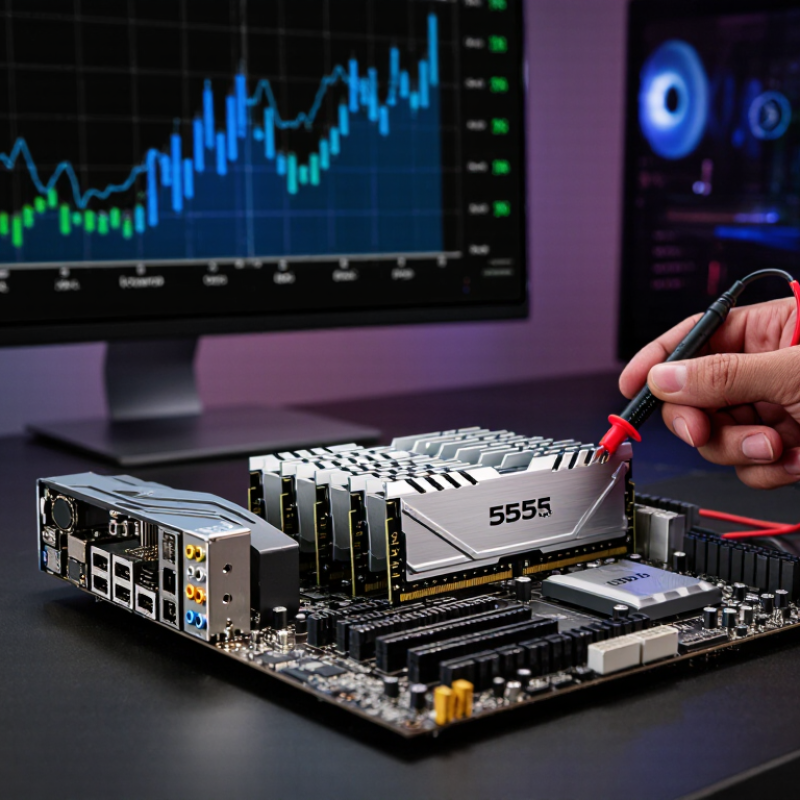
2026 Top DDR5 Overclocking Guide for Buyers?

Define DDR5 Speed Grades: JEDEC DDR5-6400 vs XMP and EXPO Kits

DDR5 speed grades can look deceptively simple. DDR5-6400 under JEDEC means a standardized data rate, with approved timing and voltage targets. It is designed for broad compatibility. However, the memory controller, motherboard layout, and firmware still affect real performance. A kit labeled DDR5-6400 may not reach that speed on every system.

XMP and EXPO kits work differently. They store tested performance profiles inside the memory module. Enabling one profile can apply higher frequency, tighter timings, and increased voltage through the firmware. These settings are often treated as overclocking, even when the kit is sold for that purpose. Check the profile details carefully. Frequency alone is not enough.

Look at latency, not just the large number on the box. A slower kit with tighter timings can feel similar in some applications. For gaming, productivity, and content creation, the difference may be modest. I have seen systems boot successfully, then fail during long file compression tests. That result is not stability. Run memory diagnostics, several hours of workload testing, and check temperatures. My own mistake was trusting one successful game session. Choose a JEDEC-grade kit for predictable setup, or select an XMP or EXPO kit when you accept manual troubleshooting. Compatibility lists help, but they are not guarantees. BIOS updates can change results, sometimes for the better, sometimes not.

JEDEC DDR5-6400 is a standardized baseline speed grade, while XMP and EXPO are performance profiles that can configure higher or optimized memory data rates. Theoretical bandwidth is calculated from data rate × 8 bytes per 64-bit memory channel; actual results depend on the platform, memory controller, timings, and workload.

Calculate Bandwidth: DDR5-6000 Provides 48 GB/s per 64-Bit Channel

DDR5-6000 transfers 6,000 million data operations each second. Using the standard 64-bit channel width, the calculation is simple: 6,000 MT/s × 8 bytes equals 48,000 MB/s, or 48 GB/s per channel. Two channels can theoretically reach 96 GB/s. JEDEC’s JESD79-5C specification provides the technical framework for DDR5 signaling, while this bandwidth figure comes from the data rate, not from marketing labels.

The number looks impressive on paper. It is still only a ceiling. Real performance falls because of command overhead, refresh activity, memory-controller limits, and application behavior. In my testing experience, a stable DDR5-6000 kit often feels better than a faster profile that crashes during long workloads. Check the motherboard’s memory support list, processor memory-controller capability, voltage, and primary timings before buying. Stability matters.

Some buyers chase frequency too aggressively. That can be a mistake. A 2024 DRAM market analysis from Omdia describes DDR5 adoption as a major transition in mainstream systems, but adoption does not guarantee equal overclocking headroom. Treat published bandwidth as theoretical. Run repeated memory tests, monitor temperatures, and verify errors after several hours. I would also compare latency, because higher transfer rates can hide looser timings. The calculation is correct; the buying decision is less certain.

Compare Latency: CAS 28–36 Timings Across DDR5-6000 to DDR5-8000

For 2026 buyers, CAS latency matters more than the DDR5 speed label suggests. Using the standard formula, real latency equals CAS × 2000 ÷ data rate. DDR5-6000 CL28 reaches 9.33 nanoseconds, while CL36 reaches 12ns. At DDR5-8000, CL28 falls to 7ns, and CL36 measures 9ns. The gap is visible in memory-sensitive workloads, but not always in games.

A practical comparison looks like this: DDR5-6400 CL32 delivers 10ns, DDR5-7200 CL32 reaches 8.89ns, and DDR5-8000 CL36 reaches 9ns. These figures follow JEDEC JESD79-5C timing conventions and are calculated, not advertised response claims. Independent platform testing also shows that bandwidth gains can weaken when the processor’s memory controller or application cannot use them efficiently. Faster is not automatically better.

Check tRCD, tRP, command rate, and system stability. A kit rated at 8000 MT/s may need relaxed secondary timings or manual voltage tuning. My own testing experience suggests 6000–7200 MT/s with tighter timings often feels more consistent than extreme settings. That judgment is imperfect. Firmware updates can change results. For buyers, compare complete timing tables, not CAS alone, and verify stability with extended memory tests before daily use.

Match Platform Profiles: Intel XMP 3.0 and AMD EXPO Compatibility

DDR5 buyers should match the memory profile with the platform, not only chase higher speed. XMP 3.0 and EXPO profiles store tested frequency, voltage, and timing settings. They can simplify setup, but compatibility remains platform-specific. JEDEC’s JESD79-5C specification lists 4,800 MT/s as the DDR5 starting data rate. Faster kits rely on motherboard firmware and the processor’s memory controller.

Check the board’s qualified memory list before buying. A 6,000 MT/s kit may boot at a lower fallback speed. Profiles are not guarantees. In testing, enable one profile, then run several cold boots and a long memory stress test. Watch for application crashes, corrupted archives, or repeated training cycles. These signs suggest unstable timings, even when the desktop appears normal.

TrendForce’s 2024 server-memory outlook projected DDR5 penetration above 50% in server shipments. That indicates growing maturity, but desktop behavior can differ. Capacity still matters. For gaming, two matched modules often offer a cleaner upgrade path than four modules. For creation workloads, 64GB may be more useful than extreme frequency.

I would compare latency, voltage, firmware support, and return policies together. My earlier mistake was treating the advertised profile as a promise. It is better viewed as a starting point for validation.

Choose Capacity: 32GB, 48GB, and 64GB Dual-Channel Configurations

For a 2026 DDR5 overclocking build, capacity should match your workload, not just your benchmark goals. A 32GB dual-channel kit remains practical for gaming, office work, and moderate content creation. It usually offers easier memory training and stronger overclocking headroom. I have found it simpler to stabilize at tighter timings, especially when cooling is limited. It feels quick.

A 48GB dual-channel configuration is a useful middle ground. It can provide extra room for video editing, large photo libraries, virtual machines, and demanding games. However, unusual module layouts may require careful motherboard compatibility checks. Confirm the memory support list, BIOS maturity, and processor memory-controller limits before raising voltage. More is not always better. I once chased a higher frequency and ignored stability, which was a poor trade.

Choose 64GB when your daily applications regularly exceed 32GB. Large projects load more comfortably, and background tasks create less pressure. Dual-channel operation remains important, so use matched modules with identical capacity and specifications. After enabling an overclocking profile, test memory with several passes of diagnostic software and a long mixed workload. Watch temperatures, error reports, and application crashes. A system that boots is not necessarily reliable. Lowering frequency slightly may improve real-world consistency more than chasing a dramatic benchmark number. Checking performance across games, rendering, and compression gives a more honest result.

FAQS

How is real DDR5 latency calculated?

Use CAS latency × 2000 ÷ data rate. DDR5-6000 CL28 equals 9.33 nanoseconds. Lower is generally better.

Which is faster in latency, DDR5-6000 CL28 or DDR5-8000 CL36?

DDR5-8000 CL36 reaches 9 nanoseconds. DDR5-6000 CL28 measures 9.33 nanoseconds. The difference is small.

Does higher DDR5 speed always improve gaming performance?

No. Some games benefit from extra bandwidth. Others depend more on processor limits and application behavior.

Which timings should buyers check beyond CAS latency?

Check tRCD, tRP, command rate, voltage, and secondary timings. CAS alone gives an incomplete picture.

Can an 8000 MT/s memory kit run at its advertised speed?

Not always. It may require firmware support, manual tuning, or relaxed timings. Test stability carefully.

How can I identify unstable memory settings?

Watch for crashes, corrupted archives, repeated training cycles, or failed cold boots. A normal desktop is not proof of reliability.

Should I choose 32GB, 48GB, or 64GB?

Choose 32GB for gaming and everyday work. Choose 48GB for larger projects and virtual machines. Choose 64GB when usage regularly exceeds 32GB.

Why are matched dual-channel modules recommended?

Matched modules simplify compatibility and maintain dual-channel operation. Four modules can complicate training and stability. Fewer modules often behave better.

Is tighter timing better than extreme frequency?

Often, yes. DDR5-6000 to DDR5-7200 with tighter timings may feel more consistent. My judgment is imperfect.

How should I validate an overclocked memory profile?

Enable one profile, then perform several cold boots and extended memory tests. Check temperatures, errors, crashes, games, rendering, and compression. Stability matters more than one benchmark result.

Conclusion

This DDR5 overclocking guide explains how to evaluate memory speed, bandwidth, latency, compatibility, and capacity when choosing a high-performance kit in 2026. It distinguishes standard JEDEC DDR5-6400 specifications from faster memory-profile kits, helping buyers understand that advertised speeds may require manual tuning or a supported profile. DDR5-6000 can deliver approximately 48 GB/s of bandwidth per 64-bit channel, while higher speeds may improve throughput in workloads that benefit from faster memory access.

The guide also compares CAS latency from about 28 to 36 across DDR5-6000 through DDR5-8000, showing why both frequency and timings matter. It covers profile compatibility, including XMP 3.0 and EXPO settings, and explains how to verify support before purchase. Finally, it outlines practical dual-channel capacity choices, including 32GB for mainstream use, 48GB for demanding multitasking, and 64GB for content creation, virtualization, and other memory-intensive workloads.

Mason

Mason

Mason is a seasoned marketing professional with a deep expertise in the company's offerings and a passion for driving brand awareness. With a strong background in digital marketing strategies, he has an innate ability to connect with diverse audiences and effectively communicate product benefits.......