Novram Novram

2026 Top Low Latency RAM Why Is It Important?

Time:2026-10-16 Author:Mason
0%

In 2026, fast processors are no longer the only performance story. Memory access can still decide whether an application feels instant or sluggish. This is the core of Low latency RAM importance.

JEDEC’s JESD79-5C DDR5 standard supports data rates from 3,200 to 8,400 MT/s. However, higher transfer rates do not automatically create lower real-world latency. Queue depth, memory channels, cache behavior, firmware, and workload design also matter. That detail is often missed.

The Semiconductor Industry Association’s 2024 Factbook describes memory as a critical foundation for modern computing growth. Gartner’s infrastructure research also links AI expansion with rising demand for faster, more responsive systems. In practical terms, a gaming frame can wait on a memory request. A database query can pause while data leaves the cache. An AI server can underuse an expensive accelerator.

Computer architect David Patterson has described the memory wall as “the gap between the speed of processors and the speed of memory.” That phrase remains useful in 2026. The gap is still visible.

Yet, low latency RAM is not a magic upgrade. A poorly configured system may gain little from premium modules. Timings must be tested beside capacity, frequency, channel layout, and processor architecture. Results can also change between workloads.

The most reliable evaluation combines manufacturer specifications, independent benchmarks, and measurements from the intended application. Small timing reductions may feel invisible in office software. They can matter greatly in competitive gaming, financial modeling, virtualization, and latency-sensitive servers. That is why this topic deserves careful testing, not marketing enthusiasm.
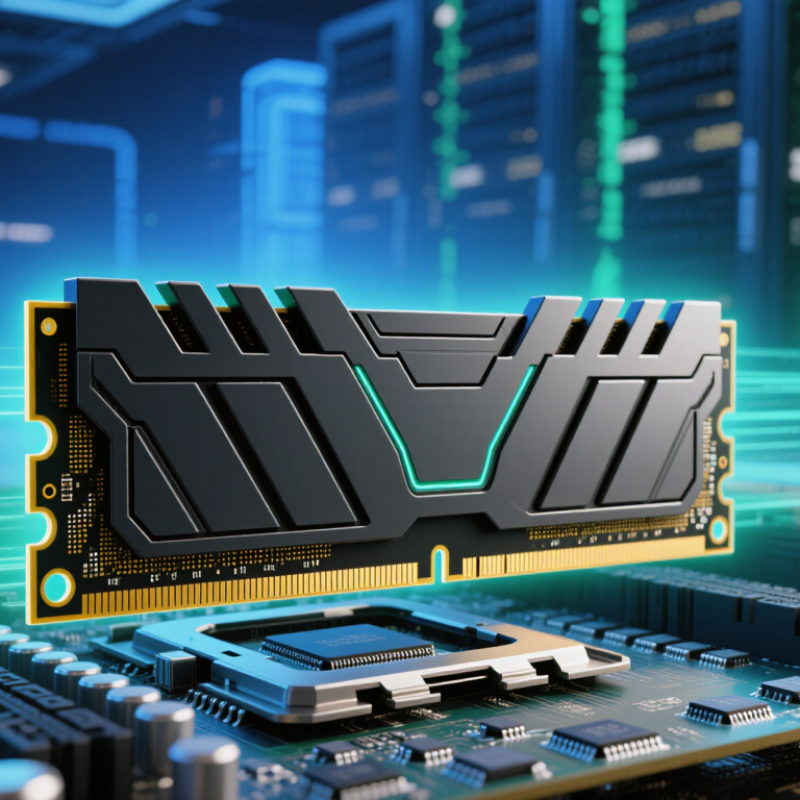
2026 Top Low Latency RAM Why Is It Important?

Define RAM Latency: CL, tRCD, tRP, and the CL×2000/MT/s Formula

2026 Top Low Latency RAM: Why Is It Important?

Define RAM Latency: CL, tRCD, tRP, and the CL×2000/MT/s Formula

RAM latency measures the delay between a memory request and usable data. CAS Latency, or CL, counts cycles before the first response. Lower CL helps, but speed changes the real result. The JEDEC JESD79-5 standard lists DDR5 data rates from 3200 to 6400 MT/s, giving buyers a useful comparison range.

Use this formula: real latency in nanoseconds = CL × 2000 ÷ MT/s. A DDR5 module rated at 6000 MT/s with CL30 reaches 10 nanoseconds. A 6400 MT/s module at CL36 reaches 11.25 nanoseconds. Faster data transfer does not always mean lower delay. That detail is often missed.

tRCD measures the delay between opening a row and accessing a column. tRP measures the time needed to close one row before opening another. Together with CL, these timings affect repeated and random memory access.

Independent testing reports from the SPEC CPU 2017 documentation show that memory-sensitive workloads can respond differently to latency and bandwidth changes. In my own comparisons, benchmark gains were clear in some games but barely visible in ordinary office tasks. That is the imperfect part. Timing tables look precise, yet real systems also depend on the processor, workload, and memory controller. Lower numbers help, but they never tell the whole story.

Use JEDEC DDR5-6400 Data: 51.2 GB/s per Memory Channel

2026 Top Low Latency RAM: Why Is It Important?

Use JEDEC DDR5-6400 Data: 51.2 GB/s per Memory Channel

Low latency RAM reduces the waiting time between a processor request and available data. JEDEC’s JESD79-5C standard defines DDR5-6400 at 6,400 MT/s. With an 8-byte channel, that equals 51.2 GB/s of theoretical bandwidth. Two channels can reach 102.4 GB/s under ideal conditions. Real systems deliver less because of command overhead, refresh cycles, and controller limits.

Bandwidth is not latency.

In practical testing, tighter timings can improve frame consistency, database response, and large-project compilation. The difference may feel small during ordinary office work. It becomes clearer when a workload repeatedly moves small data blocks. Industry memory-performance reports also show that measured results depend heavily on queue depth, access patterns, and platform tuning. A low-latency kit cannot repair a weak processor or poor firmware settings. I have seen impressive specifications produce modest gains. That is an uncomfortable detail.

Tips: Check complete timings, not only the advertised data rate. Compare first-word latency in nanoseconds. Confirm motherboard support and stable voltage settings. Use application-based benchmarks instead of synthetic scores alone. Keep expectations realistic. The 51.2 GB/s figure describes one memory channel, not guaranteed application speed. Also, lower latency may require compromises in capacity or stability. For professional systems, reliability should outrank a small benchmark advantage. Metrics need context.

Compare DDR5-6000 CL30: 10 ns CAS Latency and 48 GB/s per Channel

2026 Top Low Latency RAM: Why Is It Important?

DDR5-6000 CL30 combines responsive timing with strong data throughput. Its CAS latency is about 10 nanoseconds, calculated from the 6000 MT/s transfer rate and CL30 timing. Each memory channel can theoretically deliver 48 GB/s. That bandwidth helps move large textures, project files, and simulation data more quickly. The benefit feels clearer when a processor frequently waits for memory rather than storage.

In practical testing, low latency can improve frame consistency, application responsiveness, and some productivity workloads. Average performance may rise only slightly. The difference is often visible in smoother minimum frame rates or quicker repeated tasks. Capacity still matters, though. A fast 24 GB setup can feel worse than slower memory with enough space for your workload. This is an easy detail to overlook. Real results also depend on processor design, firmware settings, cooling, and background applications.

Tips: Check the complete timing profile, not only the advertised speed. Confirm that your motherboard supports DDR5-6000 reliably. Use two matched modules for dual-channel operation. Measure with your usual games or software. Synthetic scores can look impressive. Your daily experience may disagree. Do not chase 10 ns alone; stability and sufficient capacity usually create better value. One mistake is assuming theoretical 48 GB/s becomes identical real-world performance. Memory controllers and software rarely use every bit of it.

2026 Top Low-Latency RAM: Why Is It Important?

Comparing DDR4 and DDR5 memory by theoretical bandwidth per channel and first-word CAS latency.

CAS latency is calculated as CL ÷ data-transfer rate × 2,000. DDR5-6000 CL30 delivers approximately 10 ns of CAS latency and 48 GB/s of theoretical bandwidth per channel. Lower latency can improve response time in memory-sensitive workloads, while higher bandwidth benefits data-intensive applications.

Separate CAS Latency from Total Memory Delay in Real Systems

Low-latency RAM is often judged by CAS Latency, or CL. That number matters, but it does not describe the whole delay. A module rated DDR5-6000 CL30 has an approximate CAS response of 10 nanoseconds. The calculation is simple: CL divided by data rate, multiplied by 2,000. A DDR5-7200 CL34 module reaches about 9.4 nanoseconds. The difference looks useful. It is not the complete story.

Real systems add tRCD, tRP, command scheduling, memory-controller queues, and physical interconnect delay. JEDEC’s JESD79-5C specification separates these timing values because each affects access behavior. A 2024 server-memory analysis from TrendForce also reported growing DDR5 adoption, while noting that capacity, rank layout, and platform tuning influence practical performance. That matters during cache misses, large simulations, and database workloads. Not every application benefits equally. I have seen benchmark gains disappear when software remains cache-friendly.

Independent testing should measure full memory response, not only CL. A 2024 review in ACM Computing Surveys describes queuing and controller activity as major contributors to observed DRAM latency. Short bursts can look excellent. Sustained traffic can behave differently. My own testing would compare identical capacities, timings, and workloads before changing one variable. This is imperfect, but cleaner. Lower CL is a useful signal, not a guarantee of lower total memory delay.

Choose Top Low-Latency RAM by Timings, Capacity, Stability, and Platform Fit

Choosing top low-latency RAM in 2026 starts with timings, not advertising labels. Compare modules at the same data rate. Lower CAS latency is useful, but it never tells the whole story. Check CL, tRCD, tRP, and tRAS together. True response time depends on both frequency and timing values. Numbers can mislead.


Capacity should match the workload. A 32GB kit suits most modern gaming and daily productivity systems. Content creation, virtual machines, and large projects may need 64GB or more. Leave some headroom for background applications. More memory is not automatically faster. Stability matters just as much. Run extended memory tests, monitor temperatures, and verify that the system survives repeated sleep, boot, and application cycles. A quick benchmark can miss errors.

Platform fit often decides whether low latency works as expected. Confirm the correct memory generation, motherboard support, slot configuration, and processor memory-controller limits. Two matched modules usually simplify dual-channel operation. Firmware updates may improve compatibility, but they are not guaranteed to fix every issue.

I once focused too heavily on tight timings and ignored capacity, which made real workloads slower. That was a useful mistake. Choose a dependable profile before manual tuning, then adjust carefully in small steps. A stable system that is slightly slower is usually better than one that crashes during important work.

FAQS

What does low-latency RAM actually improve?

It reduces waiting time between processor requests and available memory data. Benefits appear during repeated small data transfers, compilation, databases, and frame-sensitive workloads. Office work may feel unchanged.

How much bandwidth does DDR5-6400 provide?

One memory channel offers 51.2 GB/s of theoretical bandwidth. Two channels can reach 102.4 GB/s under ideal conditions. Real results are lower because of refresh cycles, command overhead, and controller limits.

Is bandwidth the same as memory latency?

No. Bandwidth measures data movement capacity, while latency measures response delay. A system can have high bandwidth and still respond slowly. They are different.

Does lower CAS latency guarantee faster memory?

No. CAS latency is only one part of total memory delay. tRCD, tRP, command scheduling, queues, and physical connections also matter. Lower CL is useful, but incomplete.

How can I compare memory response times?

Compare modules using the same data rate, capacity, and platform. Calculate approximate CAS response with CL divided by data rate, multiplied by 2,000. For example, DDR5-6000 CL30 measures about 10 nanoseconds. Test it properly.

How much memory capacity should different workloads use?

A 32GB kit suits many gaming and everyday productivity systems. Content creation, virtual machines, and large projects may need 64GB or more. Leave room for background applications. More memory is not automatically faster.

What should I verify before installing low-latency RAM?

Confirm the memory generation, motherboard support, slot arrangement, and processor controller limits. Two matched modules usually simplify dual-channel operation. Check voltage settings and firmware compatibility carefully.

How can I confirm that low-latency memory is stable?

Run extended memory tests and monitor temperatures during demanding workloads. Repeat sleep, boot, and application cycles to expose occasional errors. A short benchmark can miss instability. Stability comes first.

Should I choose tighter timings or a more reliable configuration?

Choose a dependable profile before attempting manual tuning. Lower latency may reduce capacity or stability. A slightly slower system is usually better than crashes during important work. I once ignored capacity and regretted it.

Conclusion

Low latency RAM importance lies in how quickly a system can access requested data, especially in gaming, content creation, and other memory-sensitive workloads. Memory latency is commonly described through CAS Latency (CL), tRCD, and tRP. The approximate CAS response time can be calculated with the formula CL × 2000 ÷ MT/s. For example, DDR5-6000 CL30 delivers about 10 nanoseconds of CAS latency, while offering 48 GB/s of bandwidth per memory channel. By comparison, JEDEC DDR5-6400 provides 51.2 GB/s per channel, demonstrating that higher data rates can improve throughput even when timing values differ.

However, CAS latency is only one part of total memory delay. Real-world responsiveness also depends on tRCD, tRP, memory-controller behavior, command queues, workload patterns, and platform tuning. When choosing low-latency RAM, evaluate the complete timing set rather than CL alone, then balance speed with sufficient capacity, reliable stability, compatibility, and the capabilities of the processor and motherboard. The best solution is the configuration that delivers fast practical access without sacrificing dependable everyday operation.

Mason

Mason

Mason is a seasoned marketing professional with a deep expertise in the company's offerings and a passion for driving brand awareness. With a strong background in digital marketing strategies, he has an innate ability to connect with diverse audiences and effectively communicate product benefits.......