Novram Novram

What Is the Best RAM for AI Servers in 2026?

Time:2026-09-26 Author:Aria
0%

As AI workloads expand in 2026, memory will become a defining part of server performance. The Best RAM for AI servers must support more than large capacity. It must deliver stable bandwidth, low error rates, and predictable behavior under continuous load. A model may fit inside GPU memory, yet preprocessing can overwhelm system RAM. Training datasets, vector indexes, checkpoints, and containerized services all compete for space.

In practical server planning, DDR5 ECC memory is a strong foundation for many AI platforms. ECC protection helps detect and correct memory errors during long training runs. Higher memory channels can improve data movement, especially when CPUs prepare batches for GPUs. However, buying the fastest modules is not always wise. The motherboard, processor, BIOS, and workload must support the selected speed. A reliable 512GB configuration may outperform an unstable 1TB design.

Capacity matters.

This guide compares memory speed, ECC support, bandwidth, upgrade paths, power use, and platform compatibility. It also considers emerging options, including CXL-attached memory, where appropriate. Vendor specifications provide useful evidence, but real performance depends on the complete server design. That part is easy to underestimate. A lab benchmark may show impressive numbers, while production workloads behave differently under mixed inference, logging, and storage traffic. Therefore, the best choice requires testing with representative models and datasets. There is no universal winner, and any simple ranking would be misleading. Even this guidance should be revisited as processors, accelerators, and memory standards develop.
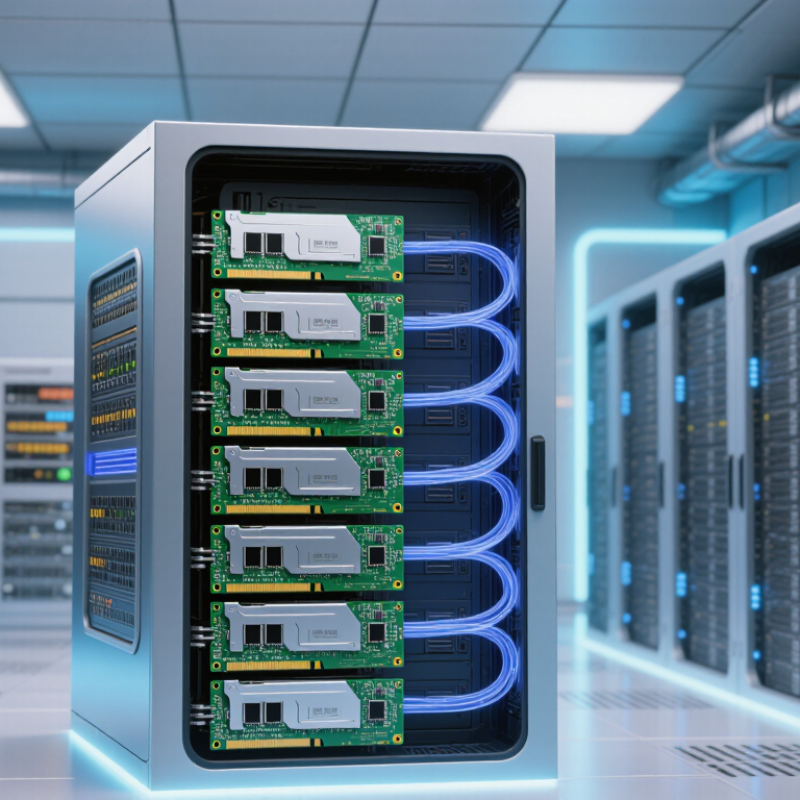
What Is the Best RAM for AI Servers in 2026?

Map AI Server Memory Tiers: HBM, DDR5, and CXL

AI servers need a memory hierarchy, not one universal “best” RAM. HBM sits closest to accelerators, feeding data-heavy model workloads with exceptional bandwidth. TrendForce’s 2024 industry analysis places HBM3E bandwidth near 1.2 TB/s per stack. That figure is useful, but peak bandwidth alone does not predict training speed. Placement, capacity, and data movement matter too. Keep hot tensors close.

DDR5 provides larger, more economical system memory for CPU tasks, preprocessing, and datasets that exceed accelerator memory. JEDEC’s DDR5 specification reaches 6,400 MT/s, or about 51.2 GB/s on a 64-bit channel. Several channels can raise aggregate bandwidth, though real performance depends on the server’s configuration. It is a workhorse, not a substitute for HBM.

CXL adds another tier. CXL 2.0 supports memory pooling, allowing servers to attach capacity beyond local DIMMs. This can help with large datasets and uneven memory demand, but pooled memory is not as fast as HBM. A practical design keeps frequently accessed data in HBM, general working sets in DDR5, and colder capacity on CXL. The boundary is messy. Measure latency and workload behavior before buying extra capacity.

Use NVIDIA H200 Specs: 141 GB HBM3E and 4.8 TB/s Bandwidth

For AI servers in 2026, the best RAM choice starts with the accelerator’s memory—not a generic capacity rule. The specified device provides 141 GB of HBM3E and 4.8 TB/s of bandwidth. That fast onboard memory serves model weights and active tensors. System RAM has a different job: feeding data, supporting CPU-side preprocessing, and holding workloads that do not fit on the accelerator.

A useful configuration pairs ample ECC system memory with balanced memory channels and enough bandwidth to keep data moving. For a multi-accelerator node, 512 GB can be a reasonable starting point; data-heavy pipelines may need 1 TB or more. These are planning ranges, not universal requirements. Capacity still matters. Stanford’s 2025 AI Index reports that training compute for notable AI models has doubled about every five months since 2010, increasing pressure on data pipelines as workloads grow.

Measure before buying. Watch host-memory use, swap activity, CPU utilization, and accelerator idle time during real training runs. If the accelerator waits while CPUs decode files or prepare batches, faster or larger system memory may help—but storage and CPU limits could be the real cause. This is not a perfect rule. A smaller model with efficient data loading may need less RAM than a data-heavy pipeline. Tie capacity to measured peak use, then leave headroom for checkpoints and concurrent jobs.

Compare Host RAM: JEDEC DDR5-6400 and Its 6,400 MT/s Data Rate

JEDEC DDR5-6400 specifies a peak transfer rate of 6,400 MT/s, or 6,400 million transfers per second. That figure is not the memory clock speed; DDR transfers data on both clock edges. With a 64-bit channel, the theoretical peak bandwidth is 51.2 GB/s. Real results are lower.

For AI servers, host RAM feeds data to accelerators, holds preprocessing buffers, and supports tasks that spill beyond accelerator memory. DDR5-6400 can help when memory bandwidth is a bottleneck, but it does not guarantee faster model training. Channel population, supported memory configurations, capacity, and workload access patterns all matter. Small detail, big effect. A server with many populated channels may deliver more aggregate bandwidth than one relying on a higher transfer rate alone. Check the processor’s validated memory support, then benchmark with representative data and batch sizes. Measure the workload. I would not call DDR5-6400 a universal sweet spot: capacity may matter more when datasets or concurrent jobs are large. And benchmarks can mislead if they omit storage traffic, NUMA placement, or real preprocessing. The number is useful, but only in context.

What Is the Best RAM for AI Servers in 2026?

JEDEC DDR5-6400 delivers 6,400 MT/s, equivalent to a theoretical peak of 51.2 GB/s per 64-bit memory channel.

Bandwidth is calculated as data rate × 8 bytes per transfer for one 64-bit channel. These are theoretical peak values; real-world performance depends on the memory configuration, server platform, and workload.

Assess Capacity and Reliability: ECC, Memory Channels, and CXL 2.0 Pooling

For AI servers in 2026, RAM selection is a capacity and reliability decision, not a race for the largest number. ECC memory detects and corrects common errors that could otherwise disrupt long training runs. The risk is operational, too. Uptime Institute’s 2024 outage analysis found that 54% of respondents’ most recent significant outages cost more than $100,000. That figure is not specific to memory, but it shows why error handling and recovery matter.

Capacity must leave room for model weights, activations, data loading, and the operating system. Then check the processor’s supported memory channels and populate them evenly. An empty channel can mean unused bandwidth; adding more DIMMs may also affect supported speeds. Measure with the actual workload. A paper specification is not a benchmark.

CXL 2.0 adds switching and memory pooling, as described in the Compute Express Link Consortium’s specification. Pooling can help when separate servers have uneven memory demand, but pooled capacity is not identical to local DRAM. Latency, contention, and software support still matter. Keep frequently accessed data close to the processors. And leave headroom. It is tempting to size for today’s models alone, though tomorrow’s workload may make that plan look rather optimistic.

Match RAM to Training or Inference: Balance Bandwidth, Capacity, and Cost

For AI training, system RAM mainly stages datasets, checkpoints, and preprocessing work; it does not replace accelerator memory. If data arrives too slowly, expensive compute can sit idle. High memory bandwidth helps when several CPUs prepare batches at once, while sufficient capacity keeps larger datasets and worker processes from spilling onto slower storage. Measure actual data-loading time before paying for the highest memory specification. That gap matters.

For inference, capacity often deserves more attention. A busy serving host may hold model files, request queues, and runtime processes, especially when many models share one machine. Larger batches can raise throughput, but they also increase memory pressure and may add latency. Keep the distinction clear: a host’s RAM does not become GPU memory, though it can support loading and orchestration. Not a substitute.

Choose memory that matches the workload’s measured bandwidth and capacity needs, then compare its cost with the performance gained. Check channel population, supported speeds, and error-correction requirements in the server design; filling every slot can change achievable speeds. I would leave headroom for growth, but not buy capacity on instinct alone. Real workloads are messier than a benchmark, and that is worth admitting.

What Is the Best RAM for AI Servers in 2026? — Match RAM to Training or Inference: Balance Bandwidth, Capacity, and Cost

Use high-bandwidth accelerator memory for model weights and active tensors, and size server memory for data pipelines, caching, and orchestration. Bandwidth figures below are approximate theoretical rates; actual results depend on the platform, configuration, and workload.

Memory type Typical bandwidth Capacity role Training fit Inference fit Relative cost per GB Practical recommendation
DDR5 ECC server memory About 38.4–51.2 GB/s per 64-bit channel at 4800–6400 MT/s, before platform and workload effects. Large host-memory pools for datasets, preprocessing, checkpoints, and CPU-side tasks. Strong default for data loading and CPU-based preprocessing. Choose capacity based on the in-memory dataset and pipeline, not just accelerator count. Well suited to serving processes, request queues, and CPU-resident data. It does not replace accelerator memory for fast model execution. Medium Best general-purpose host RAM choice for a new server when supported by the platform. Prefer ECC and follow the system’s supported speed and population rules.
DDR4 ECC server memory About 25.6 GB/s per 64-bit channel at 3200 MT/s. Can provide substantial host capacity on existing compatible systems. Suitable for established workloads where the server already uses DDR4; lower bandwidth can constrain data preparation in some configurations. Can handle host-side serving tasks, but does not increase the bandwidth of accelerator memory. Low to medium, depending on availability and platform age Keep it for compatible systems or cost-conscious upgrades. Do not select it for a new build without comparing whole-platform cost and performance.
HBM3 / HBM3E accelerator memory Roughly 0.8–1.2 TB/s per stack, depending on generation and implementation. High-bandwidth memory located with an accelerator; capacity is typically much smaller than server DRAM and varies by device. Critical for keeping model weights, activations, and optimizer-related working data close to the accelerator. Capacity can determine feasible model and batch sizes. Often the best place for active model weights and the working set, especially for high-throughput or latency-sensitive serving. Very high Prioritize accelerator-memory capacity and bandwidth for AI compute. If the model or working set does not fit, consider sharding, quantization, or workload redesign rather than assuming host RAM will perform equivalently.
CXL-attached memory expansion Varies by CXL generation, link width, device, and configuration; generally higher latency and lower bandwidth than local DDR5 memory. Provides additional memory capacity beyond locally installed DRAM in supported systems. Useful for capacity-heavy data staging or less latency-sensitive portions of a pipeline; not a substitute for fast local memory in bandwidth-bound work. Can support large, colder host-side datasets or caches where extra capacity matters more than minimum latency. Variable; compare total platform and module costs Consider only when the server, processor, firmware, and software stack explicitly support the intended CXL memory configuration. Validate latency and workload performance before deployment.
System RAM capacity planning Depends on the selected memory type, channel count, and populated channels. Size for the operating system, runtime, data loaders, preprocessing, caches, and expected concurrency, with headroom for peak use. Provision enough memory to avoid swapping and keep the intended input pipeline supplied; larger training datasets do not necessarily need to fit entirely in RAM. Estimate host memory from model-serving processes, request concurrency, cache policy, and any CPU-side preprocessing. Depends on memory type and capacity Balance capacity with populated memory channels. A large capacity installed in too few channels may leave bandwidth unused; follow the server’s balanced-population guidance.
Workload-first selection Match bandwidth to the bottleneck rather than choosing by capacity alone. Separate the accelerator working set from host-side data and service requirements. For training, prioritize accelerator memory capacity and bandwidth, then provide sufficient balanced DDR5 host memory for feeding accelerators. For inference, prioritize accelerator memory sufficient for the model and active workload; add host memory for concurrency, caching, and request handling. Optimize total cost per useful workload, not cost per GB alone Best overall approach: use supported ECC DDR5 as the host-memory baseline, then choose accelerator memory and total capacity to fit the training or inference workload.

FAQS

What does DDR5-6400’s 6,400 MT/s rating mean?

It means up to 6,400 million data transfers per second. It is not the memory clock speed. With a 64-bit channel, theoretical peak bandwidth is 51.2 GB/s. Real performance is lower.

Will DDR5-6400 make AI model training faster?

Not necessarily. It may help when memory bandwidth limits the workload. Accelerator speed, data access patterns, and preprocessing also matter. Measure the workload.

How do memory channels affect server performance?

Populating supported channels evenly can increase aggregate bandwidth. An empty channel may leave capacity and bandwidth unused. Small detail, big effect.

Should capacity or transfer rate matter more?

It depends on the workload. Large datasets and concurrent jobs may need more capacity than a higher transfer rate. I might be oversimplifying, but running short on RAM can hurt.

What should server RAM capacity cover?

Leave room for model weights, activations, data loading, and the operating system. A server needs some headroom. Tomorrow’s workload may be larger.

What does ECC memory do?

ECC detects and corrects common memory errors. That can help protect long-running jobs from disruptions. It is useful, but not a guarantee of uninterrupted operation.

Can adding more DIMMs reduce memory speed?

It can. Supported speeds depend on the processor and memory configuration. Check validated configurations before filling every slot.

What should I know about pooled memory?

Pooling can help servers with uneven memory demand. However, pooled memory may have different latency from local memory. Contention and software support matter, too.

How should I benchmark a server’s memory?

Use representative data and batch sizes. Include storage traffic, preprocessing, and processor placement where relevant. Not always. A paper specification alone is not a benchmark.

Conclusion

Choosing the Best RAM for AI servers in 2026 means matching memory to the workload rather than relying on a single specification. AI systems use several memory tiers: high-bandwidth memory (HBM) sits close to accelerators, DDR5 provides system memory, and CXL can connect additional memory capacity. As a reference point, an accelerator with 141 GB of HBM3E and 4.8 TB/s of bandwidth illustrates why HBM is suited to moving large datasets quickly during intensive computation. For host memory, JEDEC DDR5-6400 offers a data rate of 6,400 MT/s, with performance also shaped by the number of memory channels and the server’s configuration.

Capacity and reliability matter as much as speed. ECC can help detect and correct memory errors, while CXL 2.0 pooling can make capacity available across compatible systems. Training workloads often benefit from high bandwidth and ample memory for large models and datasets; inference may place greater emphasis on sufficient capacity and overall cost, depending on deployment needs. A balanced design considers bandwidth, capacity, reliability, compatibility, and budget together.

Aria

Aria

Aria is a dedicated marketing professional with a deep passion for innovative strategies and a keen understanding of our company's product offerings. With a wealth of experience in the industry, Aria excels at crafting engaging content that highlights the unique features and benefits of our......