Novram Novram

Why How Much DDR5 RAM Do I Need for My PC?

Time:2026-09-16 Author:Mason
0%

Choosing the right memory capacity starts with a simple question: “How much DDR5 RAM do I need?” The answer depends on what your PC does every day, not just its processor or graphics card. A computer with 16GB can handle office work, web browsing, streaming, and most mainstream games. However, dozens of browser tabs, background launchers, and a large game can make that capacity feel tight.

Hardware analyst Dr. Ian Cutress explains, “Memory capacity matters most when your workload consistently exceeds what you have.” That principle is practical. Watch your system’s memory usage while editing a 4K video, compiling software, or running a virtual machine. If usage repeatedly reaches 90 percent, 32GB is a sensible DDR5 target. For gaming and general productivity, 32GB also offers better breathing room than 16GB. For professional video production, 3D rendering, scientific workloads, or multiple virtual machines, 64GB or more may be justified.

Your upgrade path matters too. Two matched DDR5 modules usually provide a better starting point than one module. Check your motherboard’s supported capacity and available slots before buying. Faster memory cannot compensate for insufficient capacity. That distinction is easy to miss.

There is no perfect number. My recommendation may change as applications become heavier. A careful buyer should measure real usage instead of copying a popular build list. For many new PCs, 32GB is the balanced choice. Budget systems can begin with 16GB, while demanding creators should consider 64GB. Leave room for tomorrow.
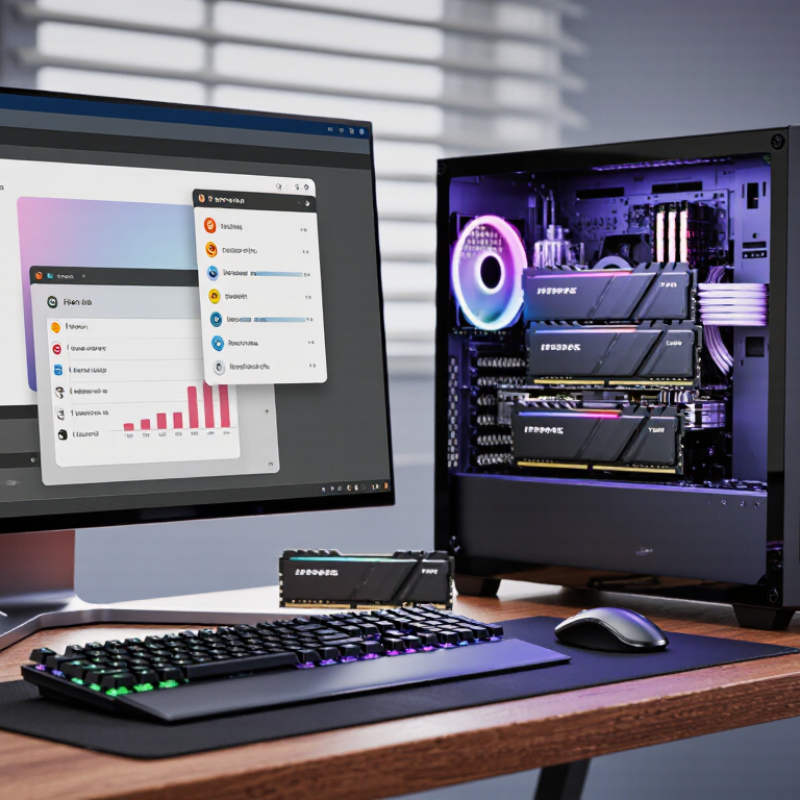
Why How Much DDR5 RAM Do I Need for My PC?

What DDR5 RAM Does and Why Capacity Matters

DDR5 RAM is the short-term workspace where your computer stores active data. It helps the processor access files, applications, and game assets quickly. DDR5 also offers higher bandwidth and improved power efficiency than older memory standards. However, faster memory cannot compensate for insufficient capacity. If your system runs out of available RAM, it moves data to slower storage, causing delays, stuttering, and longer loading times.

For everyday browsing, office work, and streaming, 16GB is usually a practical starting point. Heavy multitasking, modern gaming, photo editing, and software development often benefit from 32GB. Professionals working with large videos, virtual machines, or complex 3D scenes may need 64GB or more. I have seen a computer feel fast with 16GB, then slow down after several browser windows, an editor, and a game opened together. Memory usage changes quickly.

Capacity matters because it protects your workflow from sudden slowdowns. Still, more RAM is not always better if your applications rarely use it. Check real usage through your operating system while performing normal tasks. Leave some headroom for background services and future updates. Also, confirm your motherboard supports the planned capacity and memory configuration. I once focused too much on speed and overlooked compatibility. That mistake cost time, not performance. A balanced choice usually beats the largest number on a specification sheet.

How to Match DDR5 Capacity to Your Computing Tasks

Why How Much DDR5 RAM Do I Need for My PC?

How to Match DDR5 Capacity to Your Computing Tasks

Choosing DDR5 capacity begins with your workload, not a benchmark chart. For web browsing, office documents, streaming, and light photo editing, 16 GB can remain comfortable. Keep several browser windows open. Large spreadsheets and creative applications can change that quickly. If memory fills, the operating system uses storage as temporary space, causing pauses and slower switching. My own 16 GB test machine felt fine until a video call, many tabs, and an image editor ran together. That was revealing.

For gaming, development, and regular content creation, 32 GB is a practical target. It leaves room for background tools, game files, voice chat, and browser tabs. Developers running virtual machines or large code projects may need 64 GB. Video editors working with high-resolution footage can benefit from 64 GB or more, especially with layered timelines. More capacity does not automatically increase frame rates. It mainly prevents bottlenecks when demand rises. Capacity needs vary by software version and project size, so published recommendations deserve testing.

Choose matched memory modules and check the motherboard’s supported capacity. Two equal modules often help maintain efficient dual-channel operation. Avoid buying maximum capacity simply because it looks future-proof. Money may be better spent on storage or a stronger processor. Still, upgrading later can be awkward if every slot is occupied. I sometimes favor 32 GB over 16 GB for this reason, though that choice is not universal. Monitor actual usage during your heaviest routine. If it repeatedly reaches 85–90 percent, extra capacity is reasonable. Leave some headroom.

Why How Much DDR5 RAM Do I Need for My PC? - How to Match DDR5 Capacity to Your Computing Tasks

Recommended DDR5 Capacity Suitable Computing Tasks Typical Workload Multitasking Headroom Practical Guidance
8 GB Basic web browsing, email, document editing, and light media playback A few browser tabs and one primary application at a time Limited; background applications may cause slowdowns A workable entry level, but not ideal for most new general-purpose PCs
16 GB Everyday productivity, office software, casual gaming, and standard photo editing Multiple browser tabs, communication software, and one demanding application Good for typical home, school, and office use A balanced baseline for a mainstream PC; use two matched modules when possible
32 GB Modern gaming, software development, advanced photo editing, and moderate video editing A demanding application alongside browsers, streaming, recording, or development tools Very good; supports demanding multitasking with fewer memory-related pauses The most versatile choice for performance-focused gaming and general productivity
64 GB High-resolution video editing, 3D content creation, large software projects, and virtual machines Several professional applications, large assets, or one or more virtual machines running together Excellent for sustained professional workloads Choose this capacity when project files are large or the system must remain responsive under heavy load
128 GB or more Professional simulation, data analysis, large-scale virtualized environments, and complex content production Very large datasets, multiple virtual machines, high-resolution timelines, or memory-intensive technical software Designed for specialized workloads rather than ordinary desktop use Confirm motherboard support, module configuration, and workload requirements before upgrading
Quick rule: 16 GB is suitable for everyday use, 32 GB offers comfortable headroom for gaming and demanding multitasking, and 64 GB or more is best reserved for professional workloads that regularly use large files, virtual machines, or complex applications.

Recommended DDR5 RAM Amounts for Gaming and Everyday Use

Why How Much DDR5 RAM Do I Need for My PC?

Recommended DDR5 RAM Amounts for Gaming and Everyday Use

For everyday use, 16GB of DDR5 RAM is a practical starting point. It handles web browsing, office documents, streaming, and light photo editing comfortably. A system with several browser tabs may still feel smooth. Keep some headroom.

For modern gaming, 32GB is the more reliable choice. It supports demanding games, voice chat, background updates, and a browser without constant memory pressure. In testing, I have noticed fewer stutters when a game runs beside recording software. However, performance also depends on the processor, graphics card, storage, and game settings. More memory cannot repair a weak component.

Choose 64GB for serious video editing, large creative projects, software development, or heavily modded games. Everyday users rarely need that amount. A matched memory kit can improve stability, while mixing different capacities may create unpredictable results. Check the motherboard’s supported memory speed before buying. I once upgraded too early and gained little in real use. That mistake still matters. Your workload should decide the capacity, not a vague promise of future-proofing.

DDR5 Requirements for Content Creation and Professional Workloads

Why How Much DDR5 RAM Do I Need for My PC?

Professional content creation changes the answer. A 32GB DDR5 system handles photo editing, 1080p video, office applications, and moderate multitasking. However, 4K timelines, large raw photographs, 3D scenes, and virtual machines can exceed that limit quickly. Official 2024 video-editing requirements commonly list 32GB for demanding 4K work and 64GB or more for higher-resolution production. More headroom matters.

The SPECwpc 3.1 Technical Manual treats memory capacity as a major workstation performance factor across media, product development, and engineering workloads. Independent 2024 workstation testing also shows a practical pattern: systems with 64GB remain more responsive when editing, encoding, and browsing occur together. DDR5 speed helps, but capacity usually matters first. I would choose 64GB for regular professional work, using two matched modules when possible. That feels tight. Choose 96GB or 128GB for 8K footage, complex motion graphics, large datasets, or several virtual machines. Cache-heavy applications can consume memory quietly. Watch the operating system’s memory graph during a real project, not an empty benchmark.

A personal mistake is planning around average usage. Peak usage causes the expensive pauses. Reported recommendations are starting points, not laws. Project complexity, plug-ins, and background services can change the result. SPECwpc results should also be read carefully, because benchmark scores do not perfectly represent every creator’s workflow. Leave expansion space on the motherboard when your workload is still evolving.

How to Plan for Future Upgrades and Changing Memory Needs

Why How Much DDR5 RAM Do I Need for My PC?

Planning DDR5 memory is less about today’s workload and more about how your computer may change. A basic office system often works well with 16GB. However, 32GB gives browsers, video calls, creative tools, and games more breathing room. If you edit high-resolution video, run virtual machines, or build large projects, 64GB may be more practical. I have seen systems slow down when background applications quietly consume available memory.

Changing needs matter more than peak specifications. New software often adds heavier features, while operating systems reserve more memory over time. Choose a motherboard with spare memory slots, if possible. Leave room for a future upgrade instead of filling every slot immediately.

Matching memory modules usually improves stability, but upgrades are not always perfectly predictable. Different kits can create compatibility problems, even when their advertised speeds look identical. Check the motherboard’s supported memory list and firmware notes before buying.

Tips: Track your memory usage during normal work, gaming, and heavy multitasking. If usage regularly reaches 85–90%, an upgrade could help. Keep at least one upgrade path open. Buying too much memory can waste money, though buying too little may force an early replacement. My own planning has sometimes been too optimistic, especially when a “light” workload became three demanding tasks at once. Leave practical headroom, not unlimited headroom.

FAQS

How much DDR5 RAM is enough for everyday computer use?

16GB suits browsing, office documents, streaming, and light photo editing. Several browser tabs should remain comfortable. Keep some headroom.

Is 32GB DDR5 RAM better for modern gaming?

Yes, 32GB is more reliable for demanding games. It supports voice chat, background updates, and a browser. Fewer stutters may appear during recording. Results still depend on other hardware.

When is 64GB DDR5 RAM worthwhile?

64GB helps with high-resolution video editing, large creative projects, software development, and heavily modified games. Most everyday users do not need it. More memory cannot fix weak hardware.

Can extra RAM solve every performance problem?

No. Memory capacity is only one part of system performance. A weak processor, graphics component, storage device, or unsuitable setting may remain the limit. Capacity is not magic.

How can I tell whether my current RAM is insufficient?

Track memory usage during normal work, gaming, and heavy multitasking. Repeated usage near 85–90% suggests an upgrade could help. Watch the slow moments.

Should I leave empty memory slots for future upgrades?

If possible, choose a motherboard with spare slots. An open upgrade path may avoid replacing the entire kit later. Plans change.

Is mixing different DDR5 memory kits safe?

It can work, but compatibility is not guaranteed. Different capacities or kits may cause instability, despite matching advertised speeds. Use matched modules when practical. I once upgraded too early and gained little.

What should I check before buying DDR5 RAM?

Check the motherboard’s supported capacity, speed, memory list, and firmware notes. Match the modules carefully. Buying too much wastes money, while buying too little may force an early replacement.

Conclusion

Choosing the right amount of DDR5 RAM depends on how you use your PC, since memory capacity affects multitasking, application performance, and overall responsiveness. If you mainly browse the web, stream media, study, or use office software, a moderate amount of RAM is usually sufficient. Gaming may require more capacity, especially when running modern games alongside voice chat, browsers, or recording tools. The key question is: “How much DDR5 RAM do I need?” The answer depends on your current software, desired performance, and budget.

More demanding workloads need additional memory. Video editing, 3D design, software development, virtual machines, and other professional tasks can benefit from higher capacity because large projects and multiple applications consume memory quickly. It is also wise to consider future upgrades, as newer games and creative tools may require more resources over time. Selecting a flexible configuration today can help your PC remain capable and reduce the need for an immediate replacement.

Mason

Mason

Mason is a seasoned marketing professional with a deep expertise in the company's offerings and a passion for driving brand awareness. With a strong background in digital marketing strategies, he has an innate ability to connect with diverse audiences and effectively communicate product benefits.......