Novram
Choosing between RDIMM and LRDIMM can reshape a server’s capacity, upgrade path, power profile, and total ownership cost. That is why the RDIMM vs LRDIMM difference matters to buyers beyond a simple specification sheet.
JEDEC’s DDR5 standards define the electrical foundation, but real-world platforms add important limits. RDIMMs usually offer lower cost and simpler deployment for mainstream servers. LRDIMMs can support denser memory configurations by reducing the electrical load presented to the memory controller. This advantage becomes visible when a two-socket system needs hundreds of gigabytes or several terabytes of RAM. Still, higher capacity can bring higher prices, greater power consumption, and stricter motherboard compatibility requirements. More memory is not automatically better.
Market evidence supports careful planning. IDC’s Worldwide Quarterly Server Tracker continues to show strong demand for accelerated and high-performance servers. TrendForce’s server DRAM analyses also identify AI infrastructure as a major driver of memory content per system. These reports do not make every LRDIMM purchase sensible. They show why capacity planning is becoming more complex.
Sanjay Mehrotra, Micron’s president and CEO, said, “AI is driving an insatiable demand for memory and storage.” His observation reflects the broader pressure behind today’s server upgrades, although it does not answer every RDIMM decision directly. Buyers should compare supported capacities, ranks, BIOS limits, vendor validation, memory speed, and replacement costs. A small mistake can leave expensive modules underused. Frankly, many comparisons oversimplify latency and power. The best choice depends on workload evidence, not branding, assumptions, or a single benchmark.
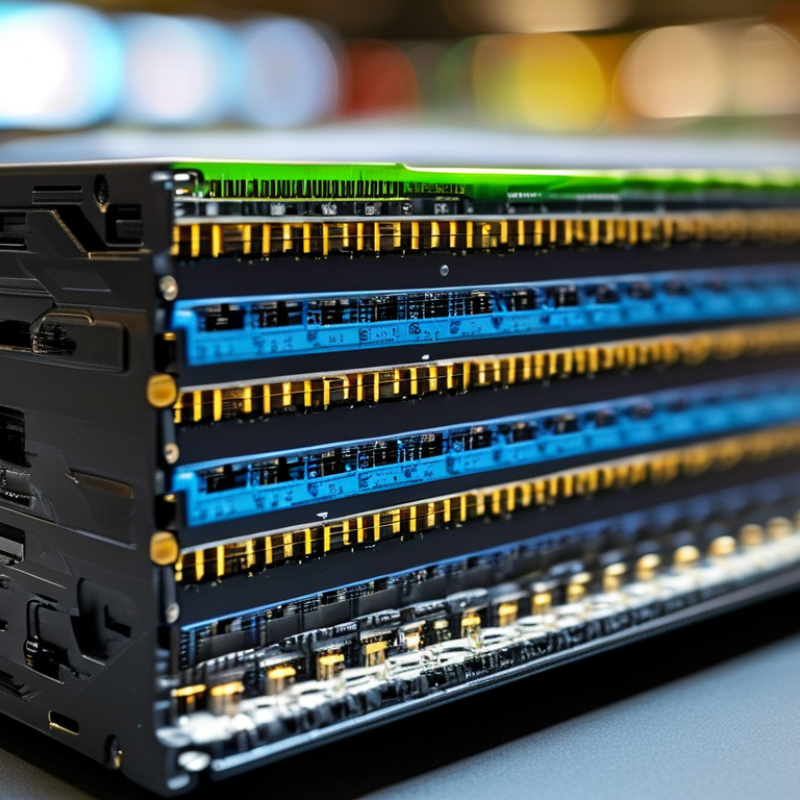
RDIMM and LRDIMM describe how server memory communicates with the processor. RDIMM, or Registered DIMM, places a register between the memory controller and DRAM chips. This register holds address and command signals, reducing the electrical load on the processor’s memory bus. ECC support is common, but ECC itself does not define RDIMM architecture.
LRDIMM, or Load-Reduced DIMM, adds a memory buffer that manages both control signals and data traffic. This design further isolates the processor from many DRAM chips. As a result, a server can often support higher memory capacities with more stable signaling. That matters in virtualization, in-memory databases, and large analytics workloads. More capacity can mean fewer performance compromises.
The trade-off is practical. LRDIMM usually costs more, may consume additional power, and can introduce slightly different latency behavior. RDIMM is often sufficient for moderate capacity servers. LRDIMM becomes attractive when memory slots must hold very large modules. Check the processor platform’s qualified memory list before buying. Mixing memory types is commonly unsupported.
A useful deployment habit is to map the workload first. Count virtual machines, database working sets, and future expansion needs. Then compare capacity, speed, power, and total module cost. Higher capacity is not automatically faster. I have seen buyers choose LRDIMM for impressive specifications, while their applications needed faster storage instead. That was not a disaster, but it was an expensive lesson. Server memory architecture rewards careful matching, not simple part-number comparisons.
RDIMM and LRDIMM manage memory signals in different ways. An RDIMM places a register between the memory controller and the module’s command and address lines. This reduces the controller’s direct electrical load. Data signals still travel more directly between the memory chips and controller. That distinction matters.
An LRDIMM adds data buffers that receive and retransmit signals across the module. The memory controller therefore sees a simpler electrical load, even when the module contains many memory devices. Signals stay cleaner. This design can support higher capacities and more populated channels. However, the buffers consume additional power and may introduce slightly more latency. LRDIMM is not automatically faster.
A practical evaluation should examine signal timing, channel population, thermal limits, and firmware support. For example, a fully populated server may remain stable with LRDIMMs, while the same layout could weaken an RDIMM design. Yet the result depends on the platform’s memory topology. The trade-off is not perfectly predictable. I would not choose from capacity figures alone. Testing representative workloads is safer than trusting a specification sheet. Mixing RDIMM and LRDIMM types is generally unsupported and can prevent a system from starting. Buyers should also verify supported speeds at the intended capacity, because maximum listed speed may decrease as more modules are installed.
Why RDIMM vs LRDIMM Difference Matters to Buyers?
Why Capacity and Memory Density Affect the Choice
Capacity is often the real reason buyers compare RDIMM and LRDIMM. Memory density changes how much data a server can hold without adding more modules. An RDIMM uses a register to improve signal stability across the memory channel. It usually offers predictable performance and broad server compatibility. An LRDIMM uses additional buffering to reduce the electrical load on the memory controller. This design can support higher-capacity modules in suitable systems.
More capacity helps. Check the platform.
A buyer should verify the processor, motherboard, firmware, and supported memory layout before ordering. LRDIMM is not automatically a better choice. Its benefits appear when large memory capacity matters more than the lowest purchase cost or simplest configuration. For virtualization, in-memory databases, and technical simulations, higher-density modules can reduce slot pressure. Empty slots may then remain available for later expansion.
Power use, latency, and upgrade plans also deserve attention. LRDIMM can introduce different performance and power characteristics, depending on the platform. A common mistake is comparing module prices without calculating the cost of reaching the required capacity. That assumption fails when RDIMM needs many more modules. I would also avoid mixing memory types, even when the physical connectors look identical. The safest decision comes from tested compatibility data, realistic workload measurements, and a three-year capacity plan. Yet capacity forecasts are imperfect, and business growth can quickly make today’s careful choice look too small.
Capacity and memory density can determine whether a server uses standard registered memory or load-reduced registered memory.
Registered memory reduces the electrical load on the memory controller and is commonly selected when capacity requirements are moderate.
Load-reduced memory uses additional buffering to support higher-density modules and larger total memory configurations.
The figures are representative upper-end module capacities. Actual limits depend on the server platform, processor generation, firmware, rank configuration, and module availability.
RDIMM and LRDIMM choices affect server speed, compatibility, and latency more than many buyers expect. RDIMM places register logic between the memory controller and modules, reducing electrical load. LRDIMM adds data buffers, allowing larger capacities across many channels. JEDEC’s JESD79-5C DDR5 standard covers data rates from 3,200 to 6,400 MT/s, but a module rarely reaches its rated speed without platform validation. The processor, motherboard, firmware, and module layout all matter.
RDIMM usually offers slightly lower latency because it uses fewer buffer layers. LRDIMM can introduce extra delay, but its capacity advantage may outweigh that cost in virtualization, databases, and memory-heavy analytics. TrendForce’s 2024 server DRAM outlook identified AI infrastructure as a major driver of higher-capacity memory demand. That shift makes LRDIMM attractive, although not automatically faster. In real deployments, a slower high-capacity configuration can outperform a faster system that swaps to storage. I have seen buyers focus on MT/s and overlook channel population. That is an expensive assumption.
Tips: Check the platform’s qualified memory list before ordering. Never mix RDIMM and LRDIMM in one system. Compare complete latency, not only clock speed. Also verify whether full population reduces supported data rates. Vendor specifications can look clear, yet firmware updates sometimes change the validated configuration. Leave room for testing.
Why RDIMM vs LRDIMM Difference Matters to Buyers?
RDIMM usually suits buyers building balanced servers for virtualization, databases, and general enterprise workloads. It offers registered signaling, improved stability, and lower cost than LRDIMM in many configurations. A buyer with moderate memory needs may prefer RDIMM because it keeps the platform simpler and easier to expand. Four or eight modules can often provide enough capacity without unnecessary complexity.
LRDIMM benefits buyers who need very large memory pools. In-memory databases, analytics systems, and dense virtualization hosts may require hundreds of gigabytes or more. LRDIMM reduces the electrical load seen by the memory controller, allowing higher capacities in supported systems. That advantage matters in a server with limited slots and expensive downtime. However, LRDIMM is not automatically faster. Capacity and compatibility usually matter more than the label.
Tips: Check the server manual before purchasing. Confirm memory type, capacity limits, supported speeds, slot population rules, and firmware requirements. Do not mix RDIMM and LRDIMM in one system. Also compare total platform cost, not just the price of each module. A small laboratory server may gain little from LRDIMM. A dense production host may regret choosing RDIMM too early. I have seen capacity plans fail because buyers counted slots, but ignored rank limits and upgrade paths. That mistake is easy to repeat. When uncertain, test the intended configuration under realistic memory pressure before deployment.
| Decision Dimension | RDIMM (Registered DIMM) | LRDIMM (Load-Reduced DIMM) | Best Fit |
|---|---|---|---|
| How the module works | Uses a register to buffer command and address signals between the memory controller and the DRAM chips. This reduces the electrical load seen by the controller. | Uses a memory buffer to reduce the load from both command/address signals and data signals. This allows the platform to handle a larger memory population. | RDIMM LRDIMM |
| Maximum memory capacity | Usually provides a strong balance of capacity and cost for mainstream two-socket and four-socket servers. The practical limit depends on the processor generation, motherboard, DIMM rank, and supported module density. | Usually offers higher maximum capacity per server when the platform supports it, especially with high-density modules and a large number of populated memory slots. | LRDIMM |
| Typical performance profile | Generally provides lower latency and is commonly selected for workloads where memory response time and balanced bandwidth matter more than the absolute maximum capacity. | Can introduce additional buffering and may have slightly higher latency, but the ability to install more memory can improve total application performance when workloads would otherwise use storage or remote memory. | RDIMM or LRDIMM |
| Memory bandwidth | Supports the memory speed and channel configuration specified by the server platform. A fully populated system may reduce supported speed depending on the platform’s population rules. | Also follows the platform’s supported speed and population rules. Its capacity advantage does not automatically mean higher bandwidth per channel. | Depends on workload |
| Power and cooling | Typically has a simpler buffer design and may offer lower module-level power consumption than an equivalent high-capacity LRDIMM configuration. | The buffer and higher-density configurations can increase power and cooling requirements. Rack-level power planning is important for densely populated systems. | RDIMM |
| Cost efficiency | Usually offers better cost per gigabyte for ordinary server memory requirements and is widely used when capacity needs are moderate. | Usually costs more per gigabyte, but may reduce the need for additional servers when a single system must support a very large in-memory dataset. | RDIMM for most buyers |
| Compatibility | Requires a processor and motherboard that support registered ECC memory. It generally should not be mixed with LRDIMMs in the same server. | Requires explicit platform support for LRDIMM buffering. It generally should not be mixed with RDIMMs, and supported capacities and speeds must be checked in the system documentation. | Platform support |
| Reliability features | Normally includes ECC for detecting and correcting common memory errors in supported server platforms. Reliability also depends on the processor, firmware, and system design. | Also normally includes ECC and is designed for enterprise server use. The additional buffer does not remove the need for proper validation, cooling, and population planning. | Both |
| Best workload examples | Virtualization with moderate memory density, databases with manageable working sets, web services, application servers, file services, and general-purpose enterprise computing. | Large databases, in-memory analytics, high-consolidation virtualization, scientific computing, large-scale caching, and other workloads that require very high system memory capacity. | RDIMM LRDIMM |
| Most important buyer question | “Can RDIMM provide the required capacity while delivering the desired latency, cost, power efficiency, and upgrade flexibility?” | “Will the extra capacity prevent paging, reduce distributed workload overhead, or avoid purchasing additional servers?” | Capacity first |
| Recommended buyer profile | Buyers seeking a cost-effective, broadly supported server configuration with balanced latency, capacity, power, and performance. | Buyers whose workloads are limited by available system memory and who can justify higher module costs, power use, and platform restrictions. | Needs-based |
: An RDIMM places a register between the controller and command lines. This reduces electrical load. Data signals travel more directly.
An LRDIMM uses data buffers to receive and retransmit signals. The controller sees a simpler electrical load. Signals usually remain cleaner.
No. LRDIMM may add slight latency and consume more power. Its main advantage is capacity, not automatic speed.
RDIMM suits balanced servers for virtualization, databases, and general workloads. It often costs less. Four or eight modules may provide enough capacity.
LRDIMM suits dense servers needing very large memory pools. Examples include analytics systems and in-memory databases. It helps when many memory devices fill limited slots.
Mixing them is generally unsupported. The system may fail to start. Avoid this shortcut.
Check the server manual carefully. Confirm memory type, capacity limits, supported speeds, and slot rules. Also verify firmware requirements and rank limits.
Maximum speed may fall when more modules occupy a channel. Channel population affects timing and signal quality. The advertised figure is not always practical.
No. A full-capacity layout can still fail under thermal or timing pressure. Test realistic workloads before deployment. I might trust specifications too much. That mistake is easy to repeat.
Understanding the RDIMM vs LRDIMM difference is essential when selecting server memory for modern data centers. RDIMM, or Registered DIMM, uses a register to reduce the electrical load placed on the memory controller, improving signal stability and supporting reliable operation. LRDIMM, or Load-Reduced DIMM, goes further by using buffering technology to reduce the load from both memory modules and data chips. This allows systems to support higher memory capacities and greater density, which can be valuable for virtualization, analytics, and other memory-intensive workloads.
The choice also depends on speed, latency, compatibility, and platform requirements. RDIMM typically offers lower latency and broad compatibility in systems designed for registered memory, while LRDIMM may provide higher maximum capacity with a small trade-off in latency and cost. Buyers who need balanced performance, moderate capacity, and predictable responsiveness may prefer RDIMM. Those prioritizing maximum memory density and scalability may benefit more from LRDIMM, provided the server platform supports it. Since the two technologies are generally not interchangeable, checking system specifications before purchase is critical.
